Video Transcript
Troubleshoot a “Looking for Hopper” error. Here are three ways to resolve this issue.
Solution One: Let’s check if your receiver is in the right room. If you moved your receiver to another room, put it back in its original location.
Ensure all cables are connected correctly to your receiver and TV. If you want to move your receiver to a new room, give us a call at 800-333-3474.
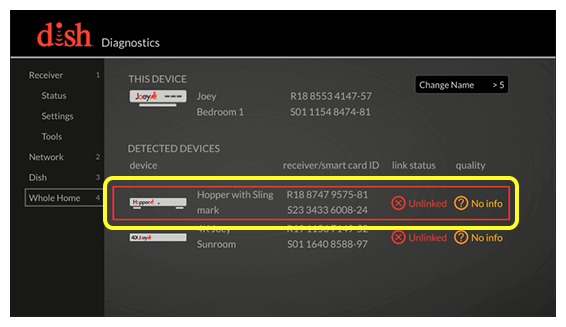
Solution Two: Still having issues? Let’s access the Whole Home screen on the Joey. Go to the room where your Joey is located.
Press the Home button on your remote three times. Scroll down and select Whole Home. Use the arrow buttons to highlight your Hopper and press Select twice.
The linking process may require up to a minute to take effect. Once linked, go back to live TV to see if your picture is back.
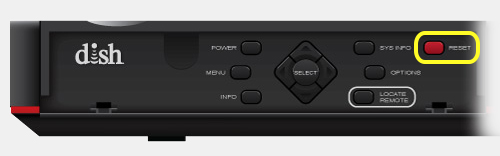
Solution Three: Still having issues? Let’s perform a power reset. Go back to the Diagnostics screen by pressing the Home button three times. Select Tools. Then Reset Hopper.
Need additional support? Visit mydish.com/chat
 Your privacy choices
