Reset Hopper

If you have an internet-connected Hopper with Sling or Hopper 3, you can reset your receiver through DISH Anywhere.

Open your DISH Anywhere app and make sure you're logged in before following the steps below.

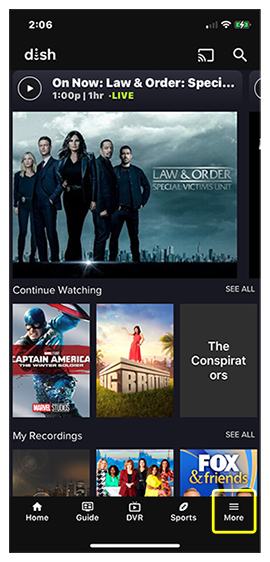
  1. Select More.

    More menu option at the bottom of the DISH Anywhere phone app
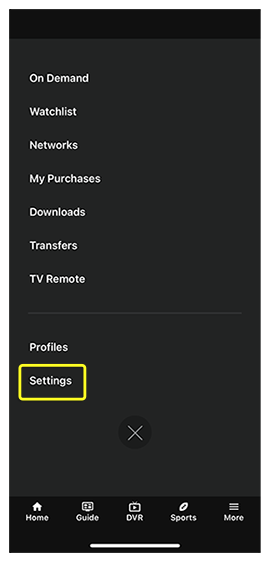
  2. Select Settings.

    Settings menu option in the DISH Anywhere phone app
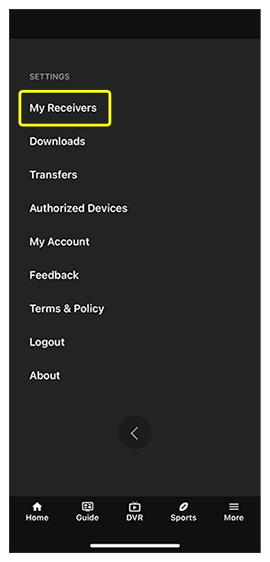
  3. Select My Receivers.

    'My Receivers' menu option in the Settings menu
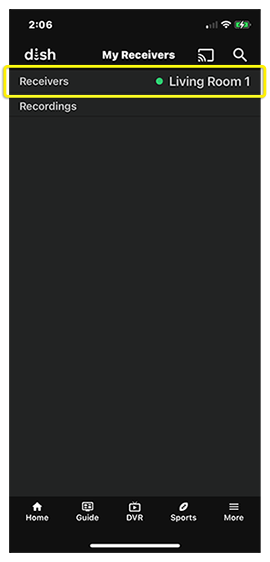
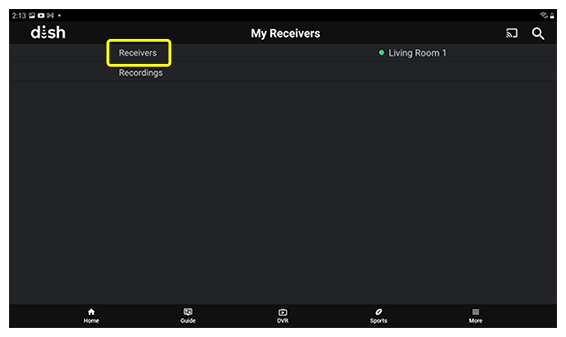
  4. Select Receivers.

    Receivers option on the My Receivers menu
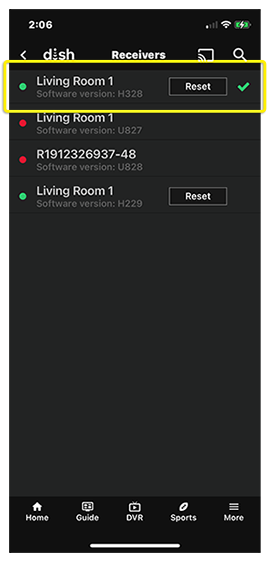
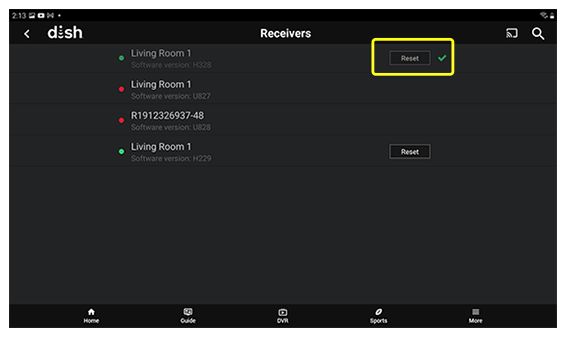
  5. Select Reset.

    Reset button alongside each listed receiver
  6. A message will appear indicating the reset command was successful, and the green dot next to the receiver ID will turn red. A reset can take several minutes to complete.
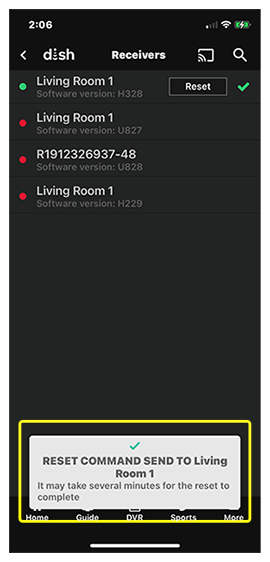
    Confirmation message at bottom of DISH Anywhere app

Open your DISH Anywhere app and make sure you're logged in before following the steps below.

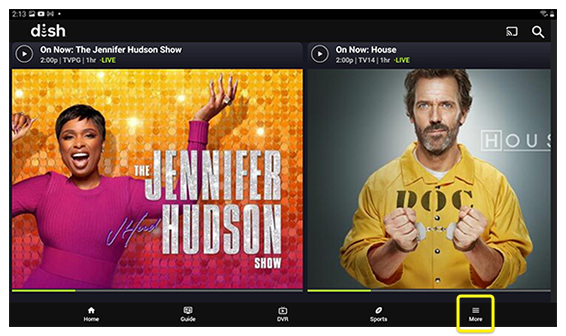
  1. Select More.

    More menu option at the bottom of the DISH Anywhere tablet app
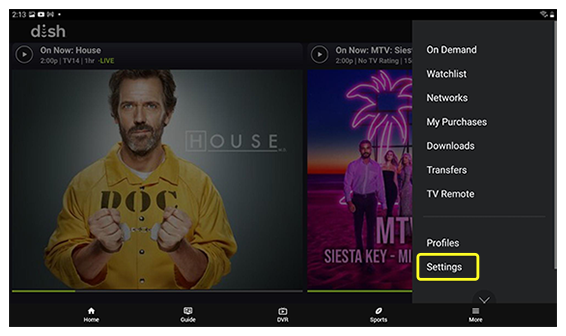
  2. Select Settings.

    Settings menu option in the DISH Anywhere tablet app
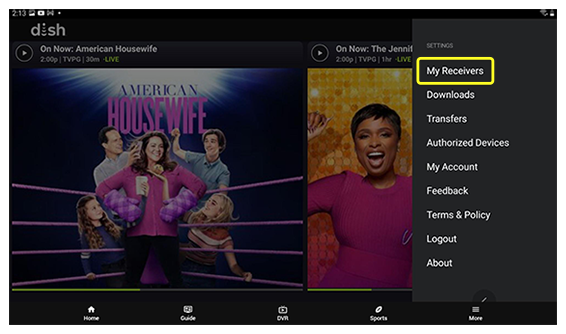
  3. Select My Receivers.

    'My Receivers' menu option in the Settings menu
  4. Select Receivers.

    Receivers option on the My Receivers menu
  5. Select Reset.

    Reset button alongside each listed receiver
  6. A message will appear indicating the reset command was successful, and the green dot next to the receiver ID will turn red. A reset can take several minutes to complete.
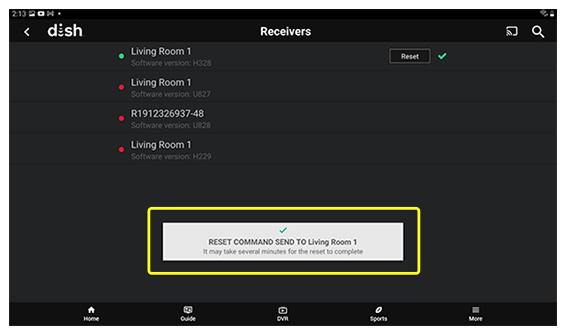
    Confirmation message at bottom of DISH Anywhere app

Visit dishanywhere.com and log in with your mydish.com username and password.

  1. Hover over the current profile and select Account and Devices.

    Dropdown menu by the profile avatar on the DISH Anywhere website
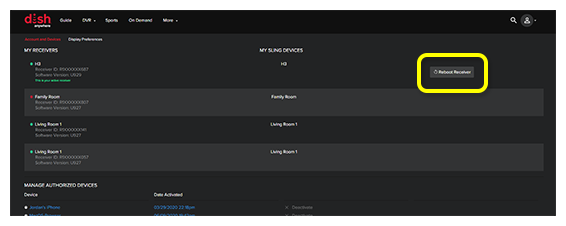
  2. Select Reboot Receiver.

    Reboot receiver button listed alongside the Hopper
  3. A message will appear indicating the reset command was successful, and the green dot next to the receiver ID will turn red. A reset can take several minutes to complete.
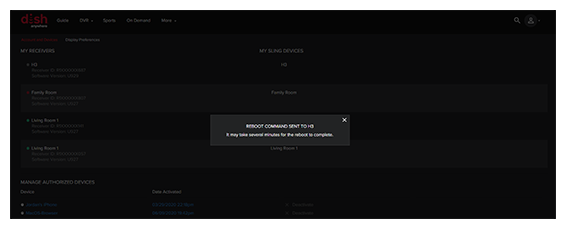
    Popup confirming that the reboot command has been sent to the receiver

Still need help?

  • Search our troubleshooting page for fixes to common problems.
  • Chat with an expert 8AM–midnight ET, 7 days a week. Select the chat icon on your screen to start.
  • Call 800-333-3474. Tech support is open 24 hours a day. Billing and account help is open 8AM–midnight ET.
  • See all the ways to contact us, including help in other languages.