Are both TVs showing the same thing? This can happen if your remote is in the wrong mode or if both TVs are using the same tuner. Try these steps.

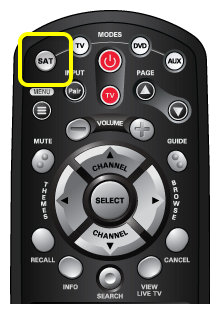
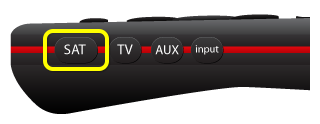
1. Press SAT on your remote
On your DISH remote, press and release SAT. This puts your remote back in TV receiver mode.
2. Check for a shared tuner
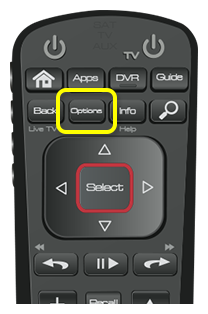
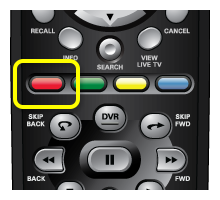
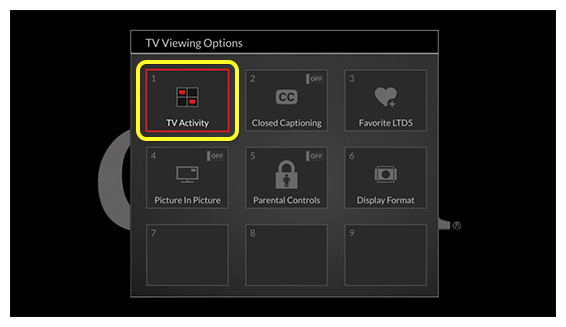
Press the red button or Options on your remote, then select TV Activity. If only one tuner is playing the show you see on both TVs, the TVs are sharing that tuner.
To watch different shows, pick another tuner. You may need to stop a recording to free one up. You can also watch a recording or something on demand.
3. Reset your Hopper and Joey
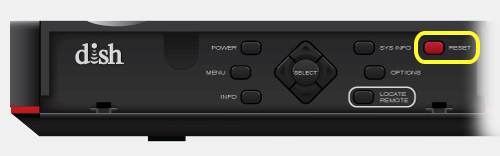
On the front of your Hopper, press and hold Reset for about 5 seconds. It can take up to 5 minutes to restart.
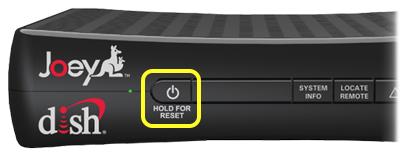
If you have a Joey, unplug it from the outlet. Wait 10 seconds, then plug it back in. It can also take up to 5 minutes to restart.
4. Contact us
If the steps above didn't resolve your issue, give us a call at 800-333-3474, or chat with an expert agent online.
 Your privacy choices
